
LALead Acquisition Forms · by Clevertrek
Capture leads straight into your funnel
Capture leads with on-brand forms, place them in your funnel with an owner, report conversions to GA4, Meta Pixel or GTM and see the conversion rate of every form.
ABOUT
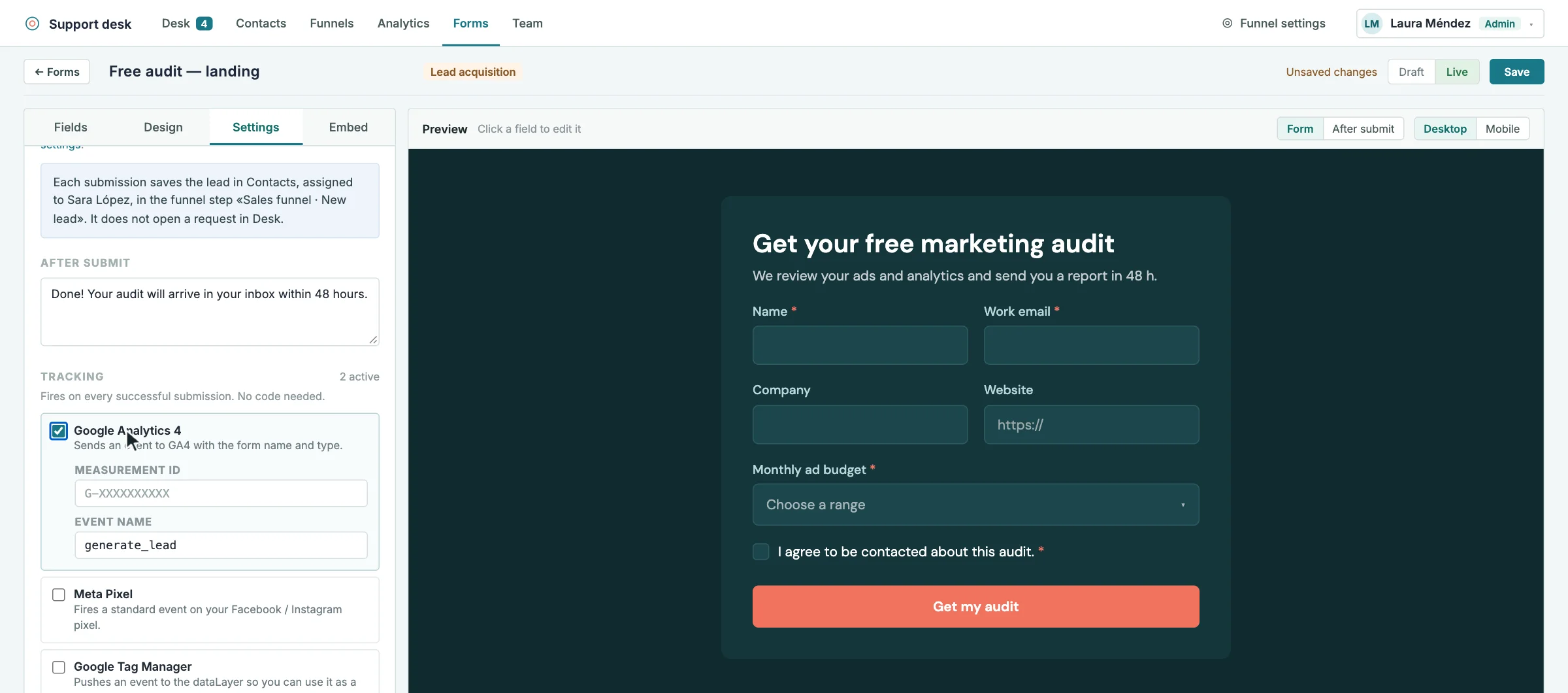
Create landing page and campaign forms that save every lead in Contacts, assigned to a team member and placed in the funnel step you choose. No request is opened in the Desk: leads go straight to sales.
Each submission can report a conversion to the analytics your website already uses, and the campaign parameters are saved with the lead. In Analytics you see the views and conversion rate of every form.
HIGHLIGHTS
Leads saved in Contacts and placed in the funnel step you choose
Each form sends its leads to a team member
Conversions reported to Google Analytics 4, Meta Pixel or Google Tag Manager
Campaign parameters (UTM) saved with every lead
Optional thank-you page after submitting
Views, starts and conversion rate for every form
Your own design, embedded anywhere
HOW IT CAN HELP YOU
Turn campaign traffic into leads your team follows up
Know which forms and campaigns bring leads
Give every new lead an owner from the first minute
HOW IT WORKS
01Create a lead acquisition form and design it
02Choose the owner and the funnel step for new leads
03Turn on conversion tracking for your website analytics
04Follow the leads in the funnel and the conversion in Analytics
WHO IS IT FOR
Marketing teams
Landing pages and campaign forms
Sales teams
Fresh leads already in the funnel
Agencies
Lead capture for client campaigns
Works well with
All tools and connectors →SDSupport DeskAnswer tickets, follow every contact through your funnels, and launch customizable surveys…CFContact FormsDesign contact forms with your own fonts and colours, embed them with…S0Sales & Opportunity FunnelsCreate several sales and onboarding funnels, move contacts on a drag-and-drop board,…
ctadp v2.6.6