
CFContact Forms · by Clevertrek
Your own design, on any website
Design contact forms with your own fonts and colours, embed them with a script, iFrame, link or pop-up, and answer every message from a shared Desk.
ABOUT
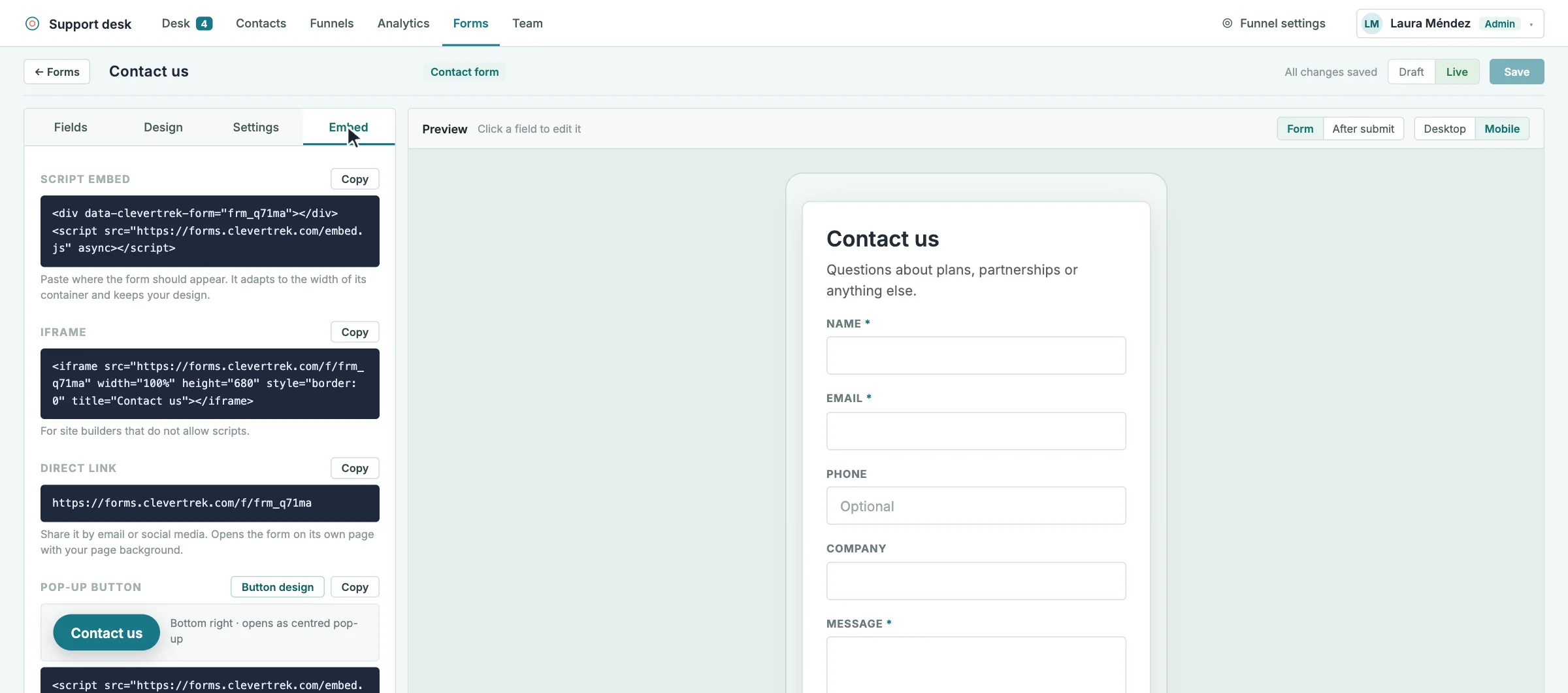
Build a contact form that looks like your brand: fonts, colours, borders and corner radius, with a live preview for desktop and mobile. Then put it on your website with a script, an iFrame, a direct link or a pop-up button.
Every message opens a request in the Desk and saves the sender in Contacts, with the form they came from. Forms only open on the websites you allow.
HIGHLIGHTS
Visual form builder with live desktop and mobile preview
Your own typography, colours, borders and corner radius
Embed with a script, an iFrame, a direct link or a pop-up button
Each message opens a request in the Desk
The sender is saved in Contacts with the form they used
Forms open only on the websites you allow
Built-in spam protection
HOW IT CAN HELP YOU
Replace a generic contact form with one that matches your brand
Answer every enquiry from a shared Desk
Build your contact list from your website without copying anything
HOW IT WORKS
01Create a contact form and add the fields you need
02Adjust the design and check the mobile preview
03Copy the embed code or share the direct link
04Answer the messages in the Desk and find the senders in Contacts
WHO IS IT FOR
Small businesses
Enquiries that reach the right person
Marketing teams
On-brand forms on every page
Agencies
Forms for each client website
Works well with
All tools and connectors →SDSupport DeskAnswer tickets, follow every contact through your funnels, and launch customizable surveys…LALead Acquisition FormsCapture leads with on-brand forms, place them in your funnel with an…S0Sales & Opportunity FunnelsCreate several sales and onboarding funnels, move contacts on a drag-and-drop board,…
ctadp v2.6.6